
Auto Volume Normalizer - Google Chrome Extension
Version: 1.2.3
Why This Exists
You know the pain: a quiet movie dialogue forces you to crank the volume, then an explosion or loud ad blasts your ears. YouTube, X/Twitter Audio Space, Twitch, news sites, podcasts — they all have wildly inconsistent audio levels.
Auto Volume Normalizer fixes this automatically. It runs locally in your browser, uses the Web Audio API to measure loudness in real-time, and smoothly adjusts gain so everything sits at a comfortable level. No cloud, no tracking, no subscriptions — just a tiny extension that works.
Enable “Allow access to file URLs”
To make the extension work correctly:
- Open Google Chrome.
- Click the three-dot menu in the top-right corner and select Extensions → Manage Extensions.
- Find the "Auto Volume Normalizer" and click Details.
- Turn on "Allow access to file URLs".
- Reload the local file or restart the extension if necessary.
The extension will now be able to access the page URL and process audio and video content.
What Your Support Enables
| Current Features | What's Next With Your Help |
|---|---|
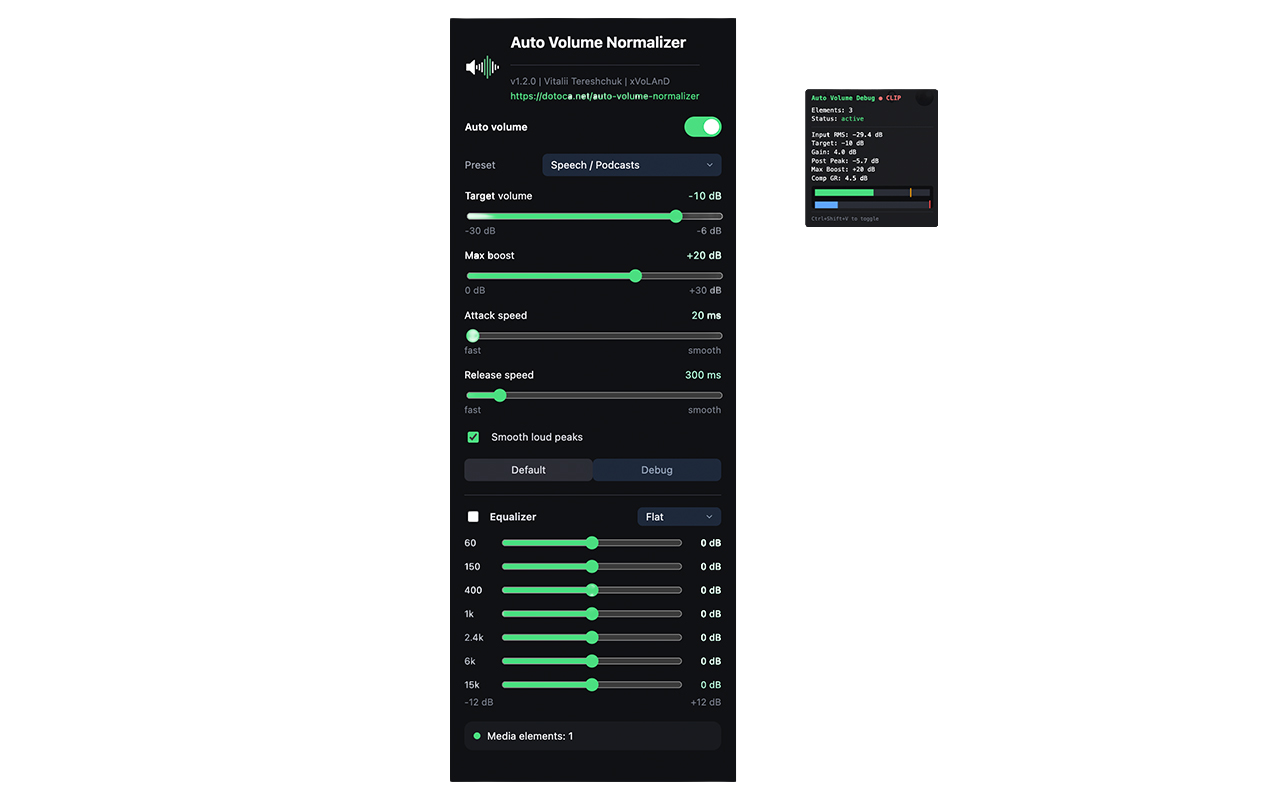
| Smart gain control (RMS-based) | Per-site profiles — remember settings per domain |
| Dynamics compressor (peak limiting) | Keyboard shortcuts — toggle/adjust without opening popup |
| Attack/Release tuning | Loudness normalization (LUFS) — broadcast-standard metering |
| 6 built-in presets | Export/Import settings — sync across devices |
| Real-time debug panel | Chrome Sync integration |
| Zero telemetry, 100% local | Mobile browser support (Kiwi, Firefox Android) |
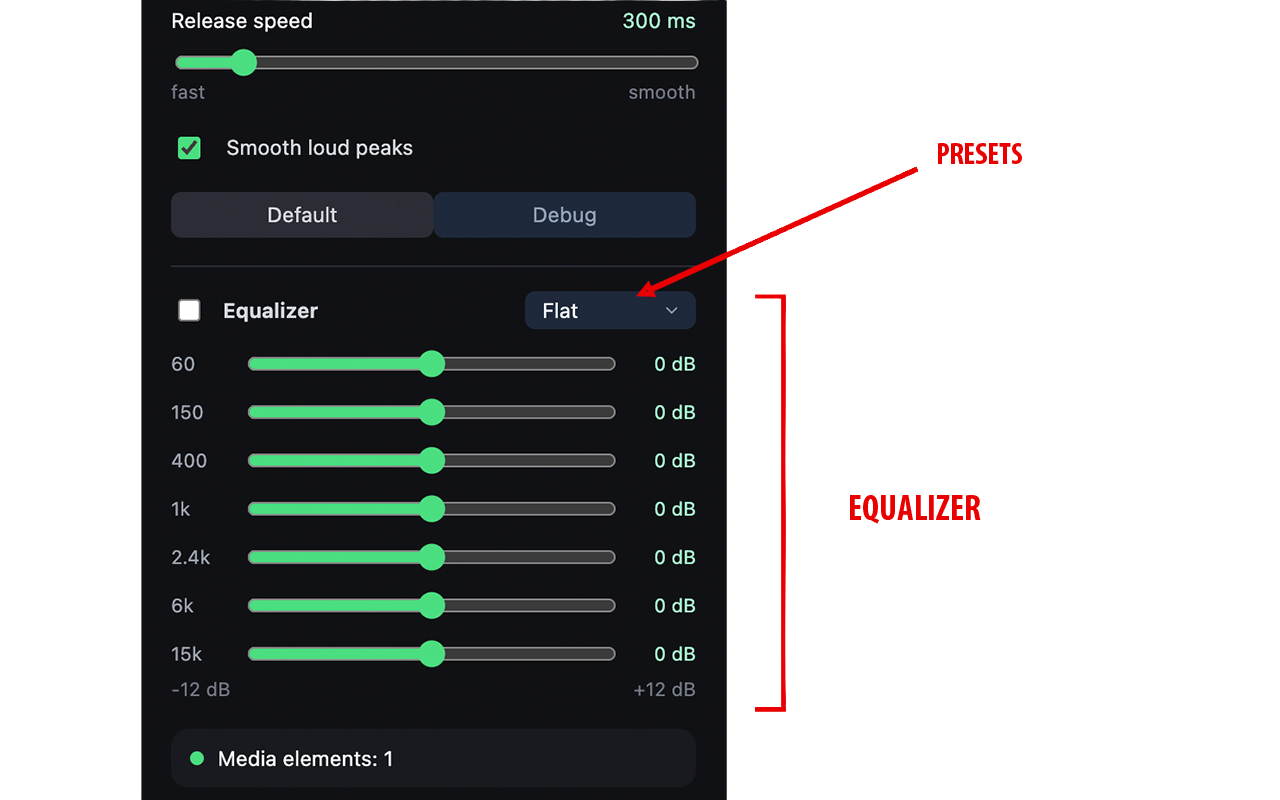
| Works on YouTube, Twitch, Netflix*, etc. | Advanced EQ — fix boomy bass or harsh treble |
*Netflix and DRM-protected players are limited by browser security — but we're exploring workarounds.
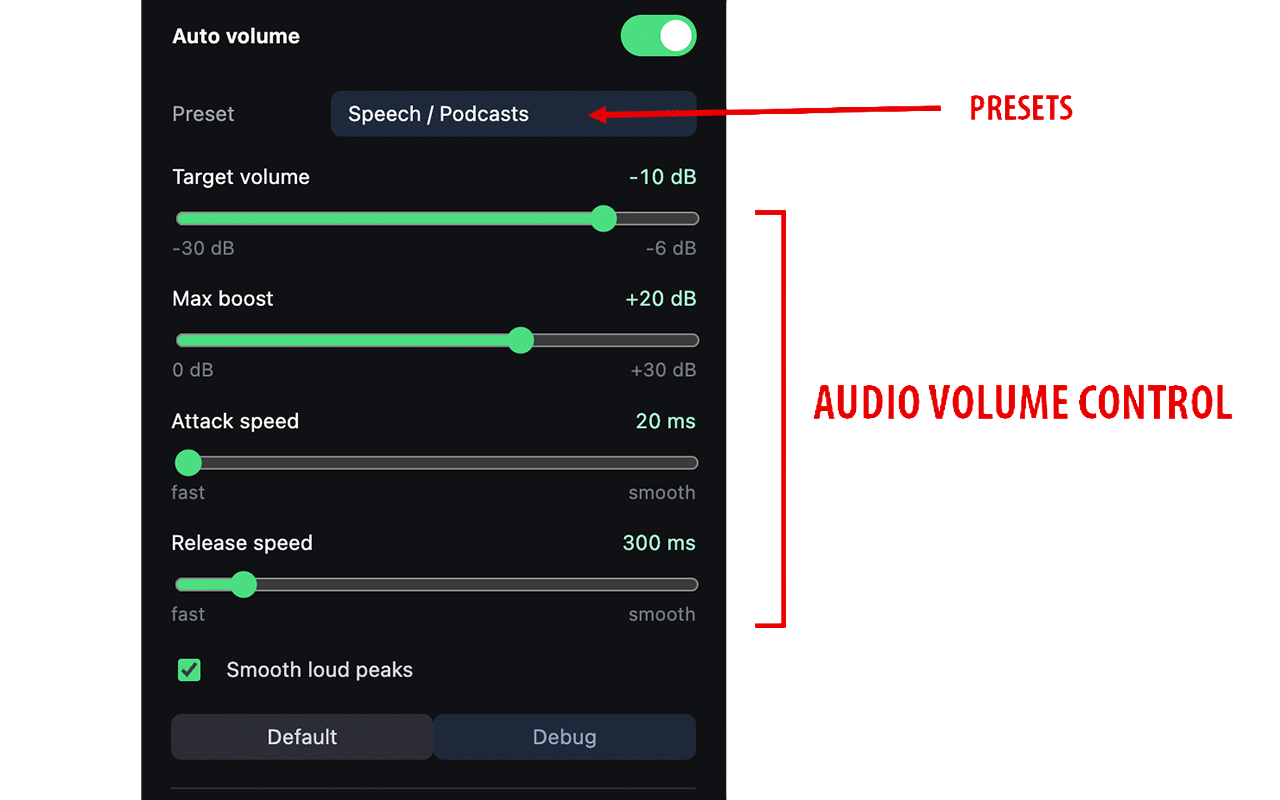
| Control | Range | Default | Description |
|---|---|---|---|
| Auto volume | On/Off | On | Master toggle |
| Target volume | -30 to -6 dB | -18 dB | Target RMS level. Quieter audio boosted toward this. Lower = more aggressive. |
| Max boost | 0 to +30 dB | +15 dB | Maximum gain applied to quiet passages |
| Attack speed | 20–250 ms | 60 ms | How fast gain increases when audio gets quieter |
| Release speed | 150–1500 ms | 500 ms | How fast gain decreases when audio gets louder |
| Smooth loud peaks | On/Off | On | Enables dynamics compressor for sudden transients |
Presets
| Preset | Target | Max Boost | Compressor | Attack | Release | Best For |
|---|---|---|---|---|---|---|
| Balanced | -18 dB | +15 dB | ON | 60 ms | 500 ms | General use |
| TV / Movies | -14 dB | +24 dB | ON | 30 ms | 400 ms | Streaming video (EBU R128) |
| Music | -16 dB | +12 dB | ON | 50 ms | 600 ms | Preserves dynamic range |
| Speech / Podcasts | -10 dB | +20 dB | ON | 20 ms | 300 ms | Clear dialogue, fast pauses |
| Night Mode | -24 dB | +18 dB | ON | 80 ms | 800 ms | Quiet late-night viewing |
| Maximum Leveling | -6 dB | +30 dB | ON | 20 ms | 300 ms | Aggressive normalization |
How It Works
For each <audio> and <video> element, the extension builds a Web Audio graph:
MediaElement → MediaElementSource → Gain (input) → Analyser → DynamicsCompressor → Gain (output) → Destination- AnalyserNode measures RMS level every frame (60 fps via
requestAnimationFrame) - GainNode (output) applies smooth gain compensation:
desiredDb = targetDb - measuredRmsDb - DynamicsCompressorNode (optional) compresses peaks above -24 dB at 4:1 ratio
- Attack/release smoothing prevents audible "pumping"
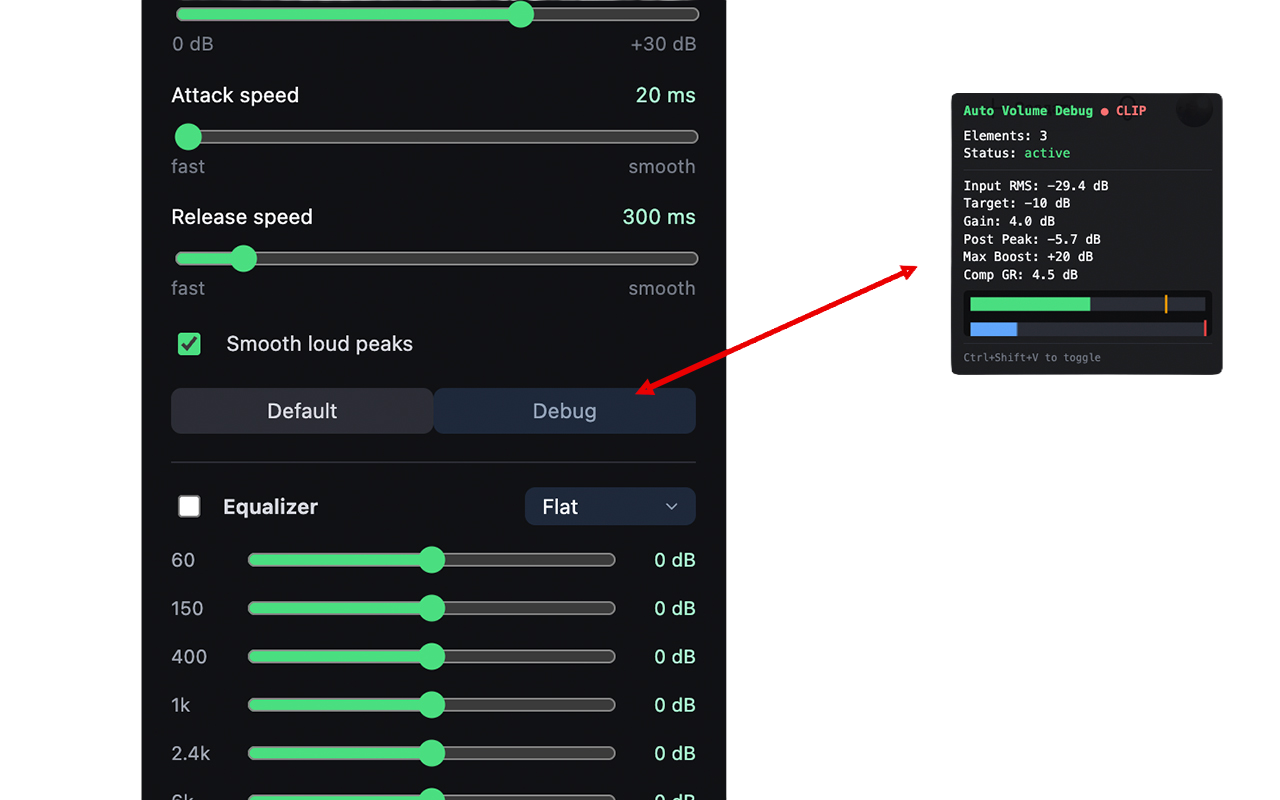
Debug Panel
Press Ctrl+Shift+V (or click Debug in popup) to toggle a floating panel showing:
- Elements — count of connected media elements
- Status — active (green), waiting (yellow), disabled (red)
- Input RMS — current loudness in dB
- Target — configured target volume
- Gain — average applied gain in dB
- Max Boost — configured limit
NOT WORKING, or is the debug-panel NOT VISIBLE?
Another extension (anti-spam / overlay cleaner / aggressive ad-blocker) may remove or hide third-party DOM nodes like #av-debug-panel in normal mode — fullscreen top-layer content is usually untouched, which is why the panel can still appear in fullscreen. Allowlist this extension in that tool (or pause it on the affected site) and reload the page.
The Reality
This is a solo project by one developer. No VC funding, no corporate backing, no ads.
- Development time: 100+ hours (and counting)
- Maintenance: Browser API changes, manifest updates, bug fixes
- Documentation: README, store listings, privacy policy, user guides
Every dollar goes directly into more features, better compatibility, and new tools that solve real audio annoyances.
No tier locks features. The extension stays free and open for everyone. Support is purely voluntary — a "thank you" if it saves your ears daily.
Why It Matters
"I built this because I couldn't find a tool that just worked — no accounts, no cloud, no bloat. If it helps you, a small contribution keeps it alive and growing."
Every donation says: "Build more tools that respect users."
That signal matters. It prioritizes:
- New extensions (video speed controller, subtitle enhancer, tracker blocker)
- Accessibility improvements
Other Ways to Help
- 🐛 Report bugs — with steps to reproduce
- 💡 Suggest features — real use cases drive the roadmap
- 📢 Share — tweet, post, tell a friend
Donations
If you find Auto Volume Normalizer useful, consider supporting the project with a donation — it helps keep the extension free and support its continued development.

Links
- Download from Chrome Web Store
- Website: https://dotoca.net/auto-volume-normalizer
- Privacy Policy: https://dotoca.net/auto-volume-normalizer-privacy