
OptiGrid App - Grid Optical Illusion Pattern Studio
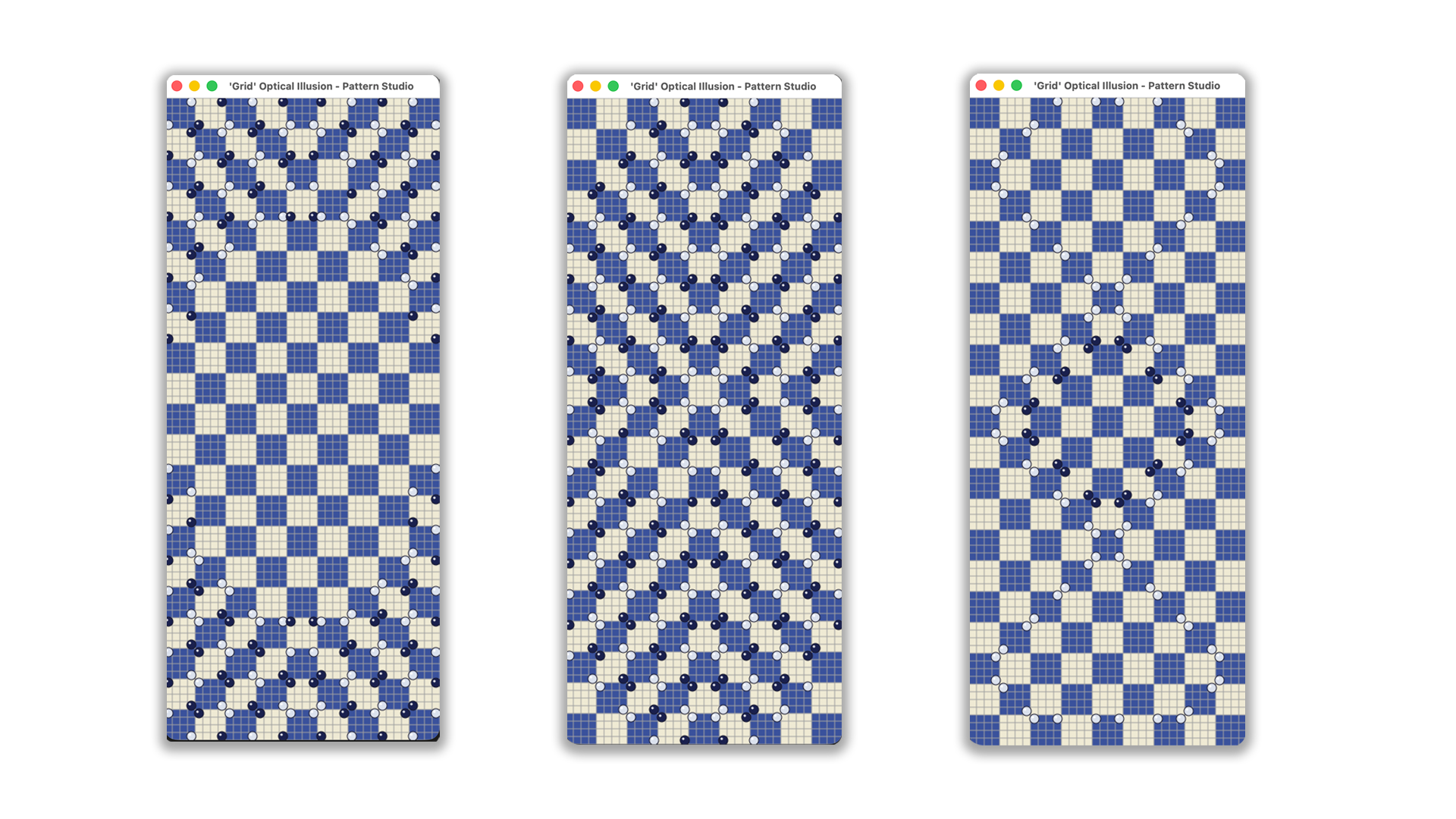
OptiGrid is a powerful desktop application for creating mesmerizing optical illusion patterns on an interactive grid. Design hypnotic visuals using 8 unique cell states, animate transitions, and explore generative art through dynamic layouts. Perfect for artists, designers, and anyone interested in op art, visual perception, and geometric pattern creation.
Create stunning illusion effects, experiment with motion, and bring your abstract ideas to life with smooth animations and flexible grid controls.
⚙️ Supported OS
- macOS
- Windows
- Linux
🤔 Features
-
Interactive Grid: Dynamic grid (8-50 rows/columns), checkerboard pattern, square cells
-
8 Ball States per Cell:
- 0: Empty
- 1: Diagonal ↘ (top-left, bottom-right)
- 2: Diagonal ↗ (top-right, bottom-left)
- 3: Right side (both right balls)
- 4: Left side (both left balls)
- 5: Top side (both top balls)
- 6: Bottom side (both bottom balls)
- 7: All 4 balls
-
10 Save Slots: Store and load patterns (keys 1-9, 0 for slot 10)
-
Auto Mode: Cycle through slots automatically
-
Smooth Animation: Ball movement interpolation
-
Window Resizing: Full window resize support
-
Optical Illusion Mode: Create mesmerizing patterns
Controls
| Key | Action |
|---|---|
| Left Click | Cycle cell state (0→1→2→3→4→5→6→7→0) |
| 1-9, 0 | Load slot 1-9, 10 |
| Shift+1-9, Shift+0 | Save to slot |
| A | Toggle Auto Mode |
| C | Clear all cells |
| [ | Decrease columns (min 8) |
| ] | Increase columns (max 50) |
| - | Decrease rows (min 8) |
| + | Increase rows (max 50) |
Optical Illusion Mode
This application is inspired by the famous "Grid" optical illusion where small circles inside a grid create virtual concentric rings that trick the brain into seeing a bubble distortion despite all lines being perfectly parallel.
With 8 ball states per cell (including state 7 with all 4 balls), you can create similar mesmerizing patterns that play with visual perception.
Tips to enhance the effect:
- Use state 7 (all 4 balls) for maximum visual impact
- Create patterns that guide the eye toward the center
- Try the Auto Mode to cycle through saved patterns
📥 Installation
Build
mkdir -p build

make darwin     // for macOS
make windows    // for Windows
make linux      // for Linux
Or
go mod init optigrid
go mod tidy
go build -o optigrid
🔧 Troubleshooting
"Permission denied" or "Blocked by macOS"
macOS has a security feature called Gatekeeper that blocks apps from unknown developers. If this happens:
Solution 1: Run this command in terminal
xattr -cr ./optigridSolution 2: Allow manually
- Open System Settings → Privacy & Security
- Look for the message about blocked airdrop
- Click Allow anyway
- Try running optigrid again
Requirements
- Go 1.20+
- Ebiten v2
License
MIT