
🍌 jsxNanaBananaPro — AI Plugin for Photoshop
Current version: 1.3.1 (Oct 8, 2026)
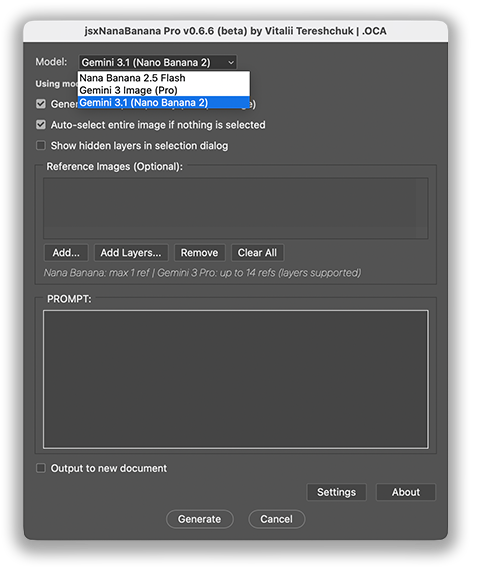
Supported models:
- Nano Banana 2.1
- Nano Banana 2
- Gemini 3.1 Pro Nano Banana
- Nano Banana Flash-Lite 3.1
Supercharge Photoshop with AI
jsxNanaBananaPro brings the power of Google’s latest AI image models directly into Photoshop.
You stay fully independent from Adobe UXP Cloud services.
Generate, modify, and enhance images without leaving your workflow.
- Multiple reference images
- Faster processing
- Higher image quality
- Advanced AI models from Google Gemini
All directly inside Photoshop.
✨ What’s new:
Version 1.3.1
- Added Nano Banana 2.1
- Improved AI image processing workflow
- Continued support for AI-generated masks
Version 1.0.1
- The biggest addition in this update is AI Object Extraction
- Automatically detect objects in an image
- Select individual objects or extract them all at once
- Turn extracted objects into separate layers
- Choose whether to remove objects from the original image
- Keep the original image intact when needed
- Choose different extraction algorithms
- Adjust the result using Photoshop masks
Version 0.7.0
- Gemini 3.1 Flash-Lite is now fully supported!
Version 0.6.9
- UI improvements. ADDED PREVIEW FOR FILES AND LAYERS in the reference image workflow.
- Other UI and other improvements
Version 0.6.6
- Improved UI and reference image workflow
- API key validation for selected models
- Added support for Nano Banana 2 (Gemini 3.1 Flash Image Preview)
- NEW: Layer support inside Photoshop
- Multiple Reference Images support
- Fixed Windows file path bug
Version 0.5.1
- Support for Flash 2.5 (
gemini-2.5-flash-image) - Full integration with Gemini 3 Pro for 2K / 4K generation
- Dual-model support: Flash 2.5 + Gemini 3 Nano Banana Pro
- New "No White Fill" instant generation mode
- Smarter automatic size detection for accurate upscaling
- Improved stability and UI
And most importantly:
🚀 Direct Connection to Google Gemini AI
Forget third-party platforms and hidden commissions.
jsxNanaBananaPro connects directly to Google Gemini API.
That means:
- Faster image generation
- More reliable results
- No middleman services
- No extra platform fees
- No Replicate API
💰 Simple Pricing — Pay Once
Many AI tools charge:
- $6+ for the tool
- mandatory $10 credit top-up
That’s $16 just to start, typically giving you ~250 images.
With jsxNanaBananaPro:
- One-time purchase
- No subscription
- No hidden costs
Any usage costs go directly to Google API.
🎁 FREE Credits & Billing Setup
Google Cloud currently offers $300 in FREE credits for 90 days to eligible new users. These credits can be used with eligible Google Cloud products.
However, in some cases, Google requires you to add a credit card (set up billing) to activate the free trial.
⚠️ IMPORTANT: The $300 Google Cloud Welcome Credit CANNOT BE USED for the Gemini API. Gemini API has separate billing and pricing. In some cases, Google may also require you to set up billing and add a payment method before you can use the Gemini API paid tier.
Details:
- https://ai.google.dev/gemini-api/terms
- https://ai.google.dev/gemini-api/docs/available-regions
- https://ai.google.dev/gemini-api/docs/rate-limits
Sometimes Google may ask you to add a credit card to activate the trial.
🧠 Intuitive AI Editing in Photoshop
Use the tools you already know:
- selections
- brushes
- colors
- layers
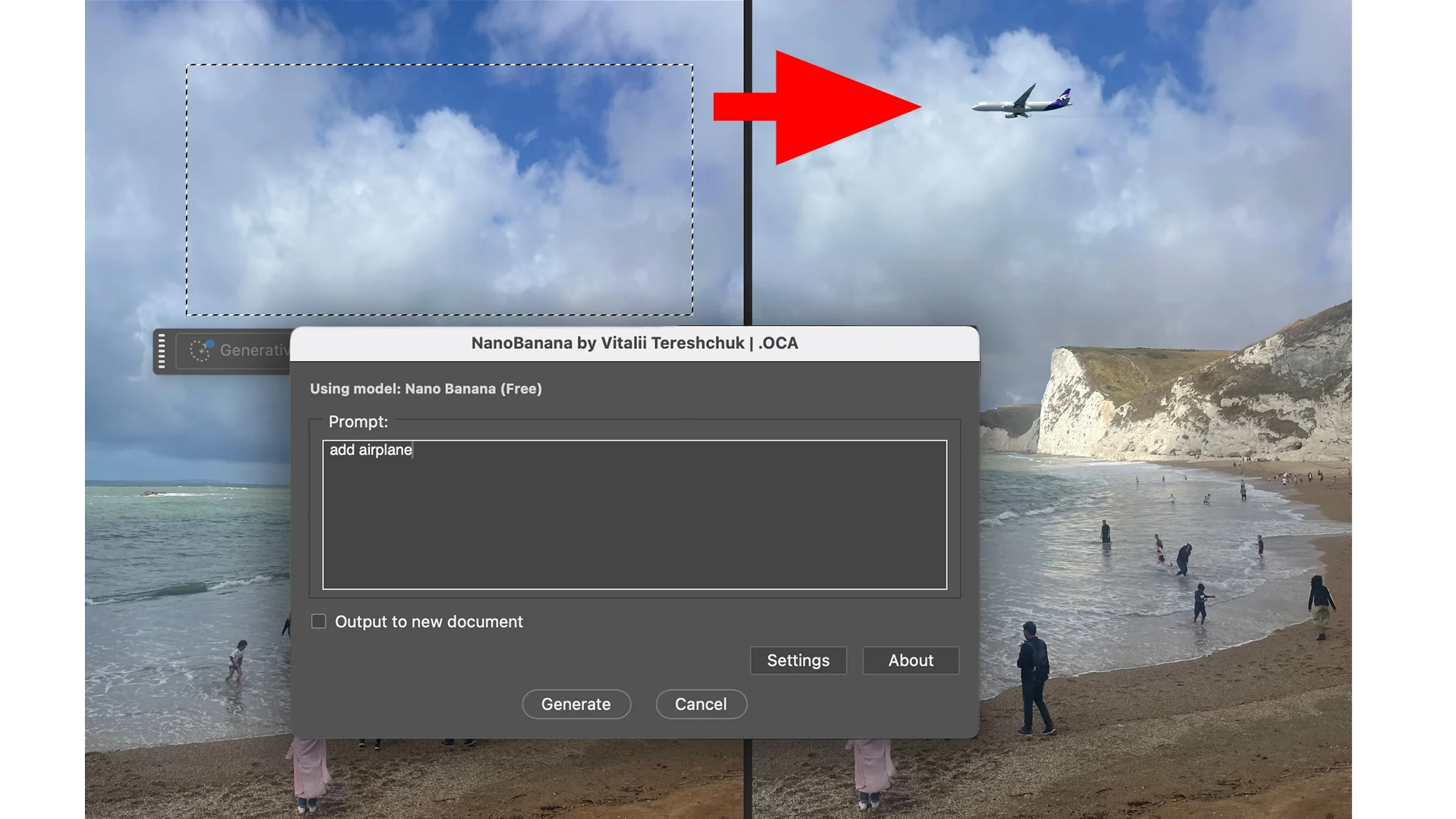
Then simply describe what you want.
NanoBanana AI handles the rest.
Create realistic edits, transformations, and enhancements with simple prompts.
⚡ Advanced Features
- Multiple reference images
- Primary color control
- Layer-based editing
- Fast AI generation
- Automatic size detection
- High-resolution output (2K / 4K)
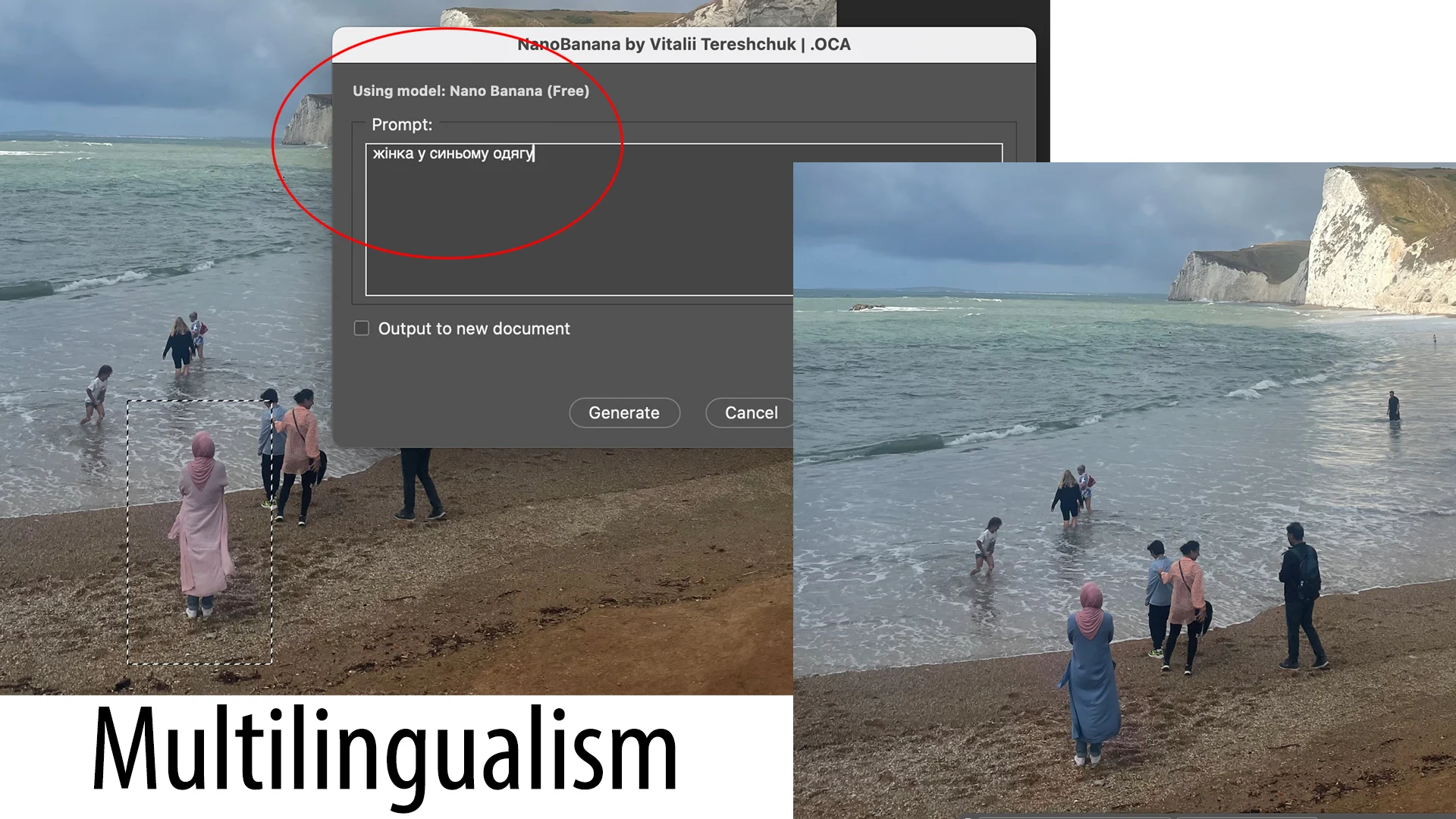
🌍 Multi-Language Prompt Support
Write prompts in any language.
The AI understands and generates results regardless of language.
🖥 Compatibility
Works on:
- Windows
- macOS
Compatible even with very old Photoshop versions.
The script has been successfully tested with Photoshop CS4.
Windows Notes
Supports Windows 10 / 11 (requires CURL https://curl.se/windows/).
You may briefly see command-line windows during processing — this is normal.
🧓 Legacy Version for Retro Systems
A special edition is available for classic setups: Photoshop CS4 + Windows XP
Perfect for legacy systems and retro PC enthusiasts.
🛠 Troubleshooting
If you experience connection issues:
- Check antivirus or firewall settings
- Try running Photoshop as Administrator
- On macOS, resetting Photoshop settings usually resolves API errors
⚡ Quick Start
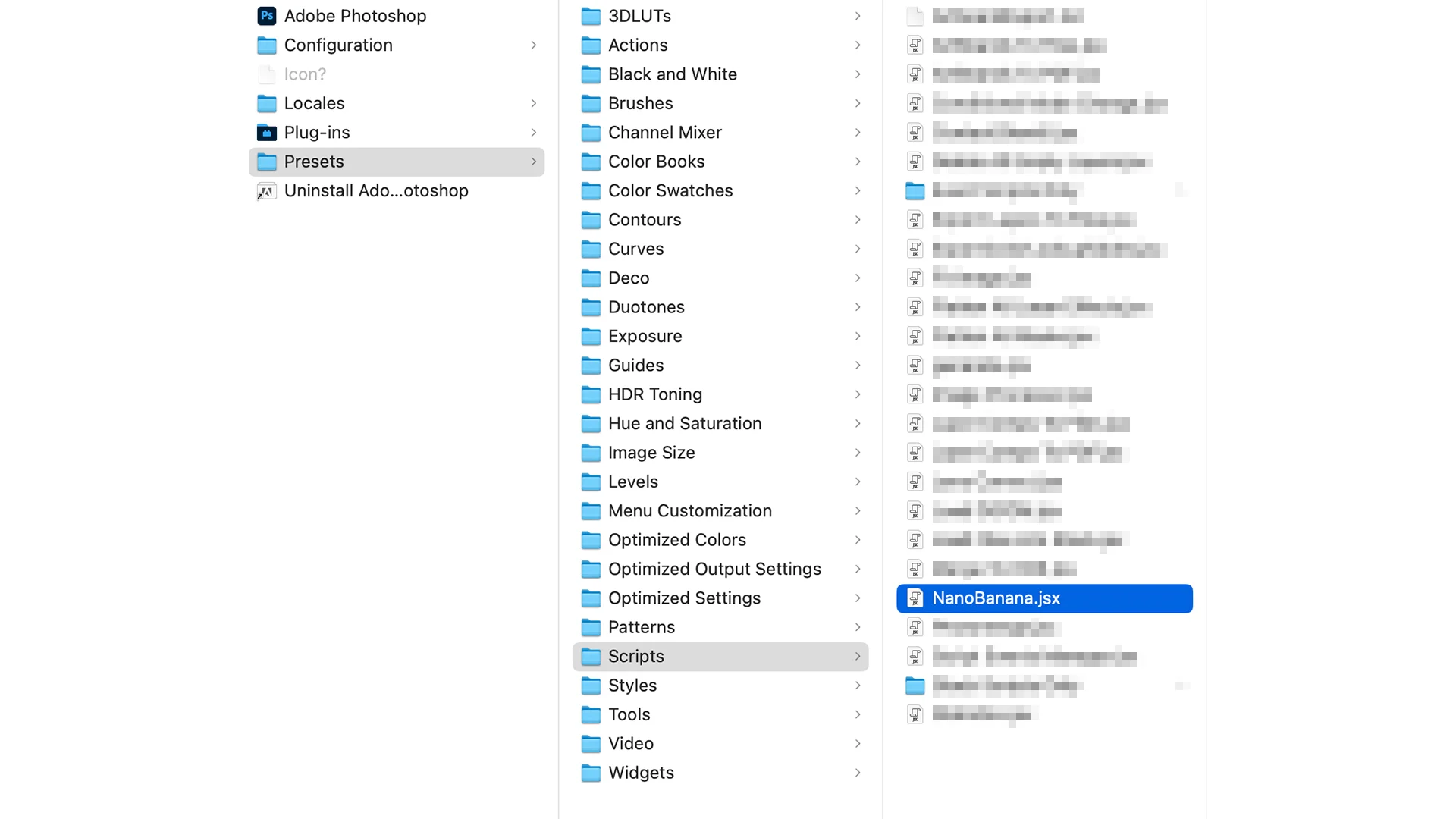
- Download the script after purchase
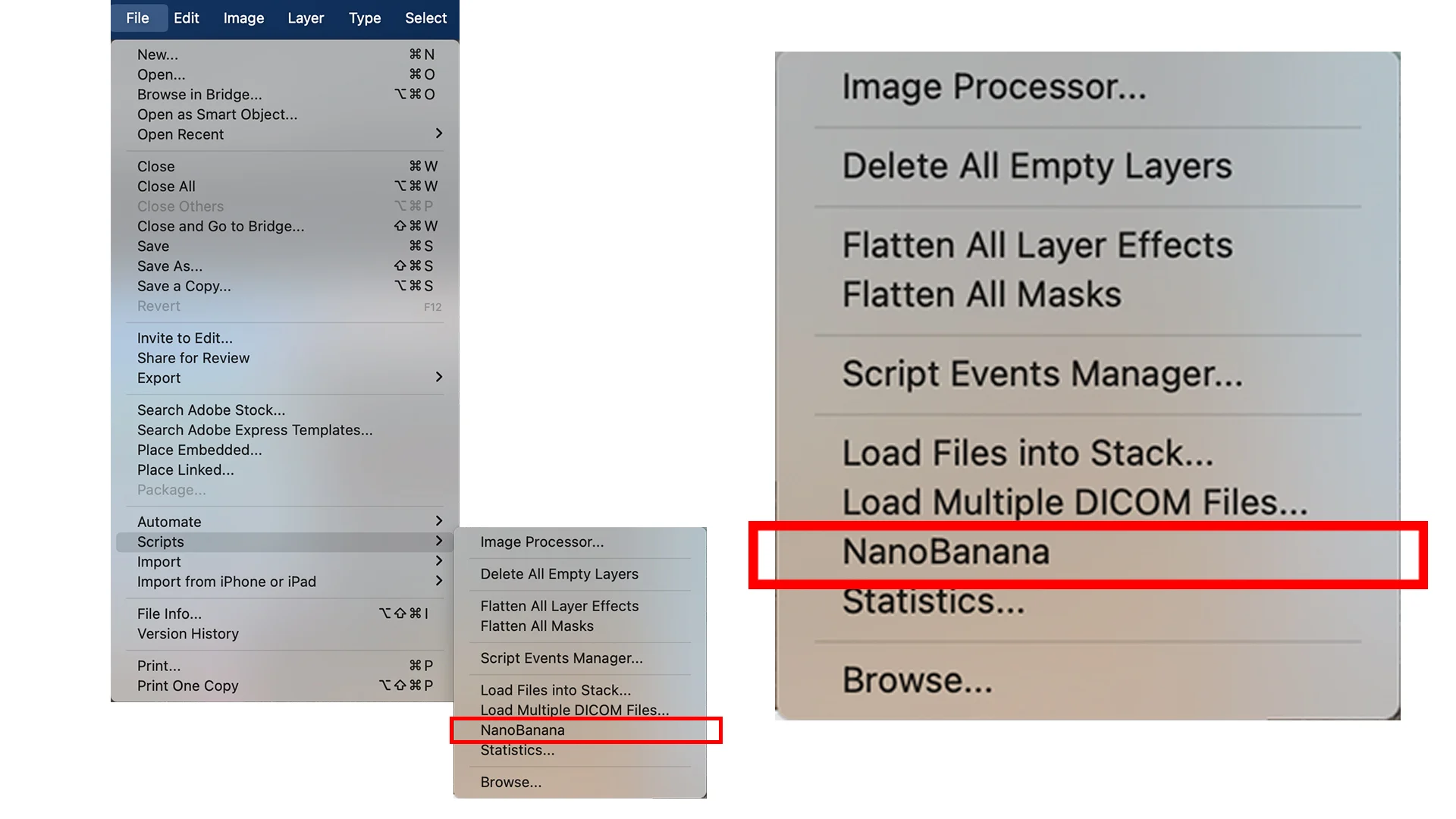
- Copy it into the Photoshop Scripts folder
- Windows users: install CURL
Start generating AI images in minutes.
💬 Need Help?
If you have questions or suggestions for improving the script, feel free to contact us.
We’re always happy to hear feedback from users.
All videos related to the plugin are added to this Youtube playlist.