

HIDEOUT — The World’s Smallest Menu Bar Hiding App
Version: v1.24.1
Hideout is a lightweight macOS utility that lets you hide unwanted menu bar icons and keep your Mac interface clean and organized.
✦ Small App. Big Cleanup.
- Hide the clutter — Keep your menu bar clean and organized.
- See what matters — Leave your essential icons visible.
- Reveal when needed — Access hidden icons whenever you want.
- Stay lightweight — A simple, unobtrusive macOS utility.
- Feel at home — Built around familiar macOS interactions.
It is designed for people who have too many background apps, system utilities, and status icons competing for space in the macOS menu bar.
Includes compatibility work for macOS 27 "Golden Gate" and wide screens like QHD, UltraWide QHD, 4K UHD, Super UltraWide, 5K2K/WUQHD, etc.
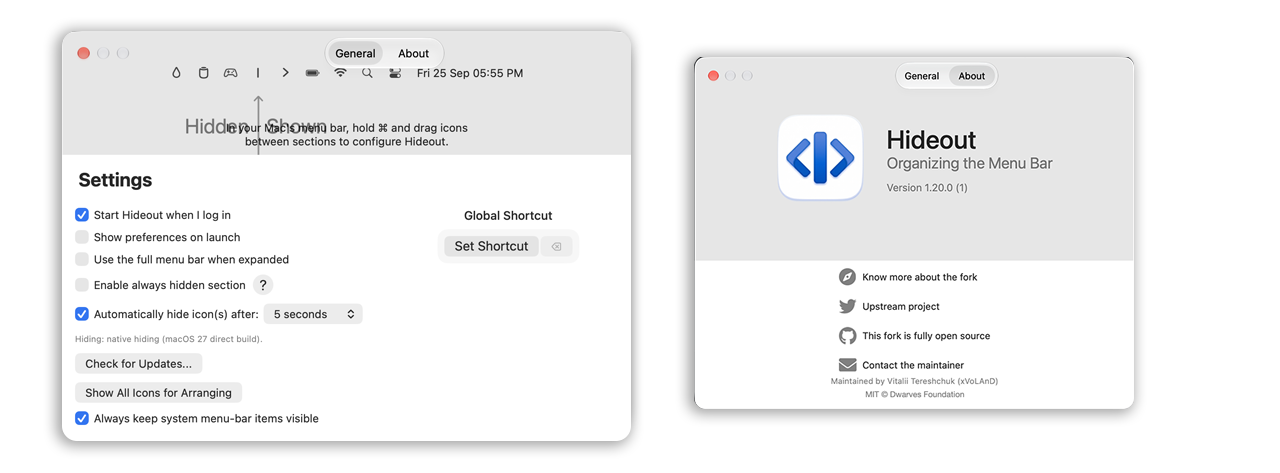

✨ What Hideout does
- Hide unnecessary menu bar icons
- Keep frequently used icons visible
- Create a cleaner, less cluttered menu bar
- Quickly reveal hidden icons when you need them
- Stay lightweight and unobtrusive
- Use familiar macOS interactions instead of a complicated settings interface
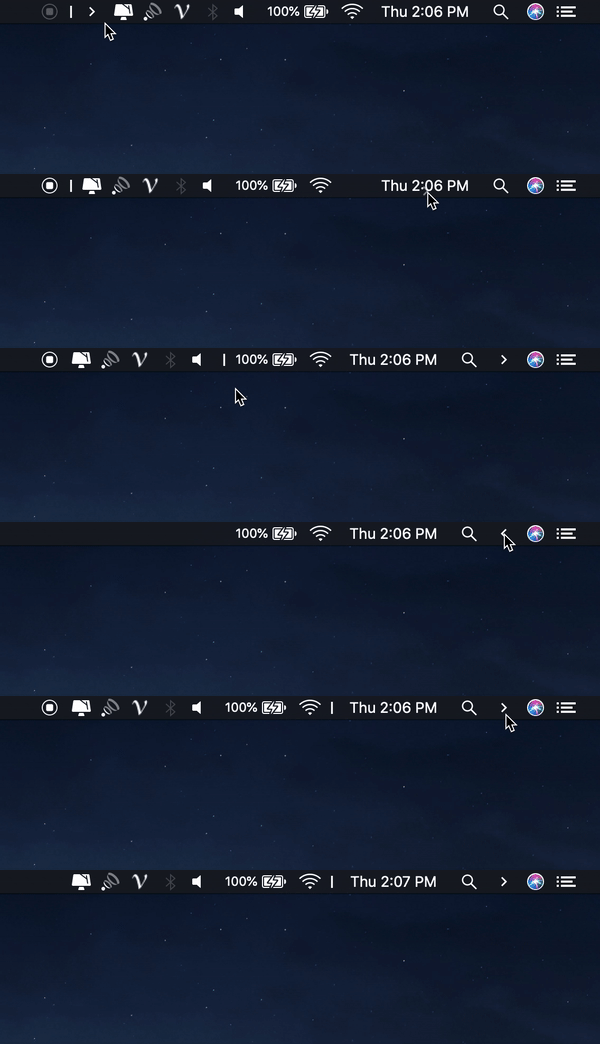
🕹 Usage
- ⌘ + drag to move the Hidden icons around in the menu bar.
- Click the Arrow icon to hide menu bar items.
🚀 Built for modern macOS
Hideout supports modern macOS versions and includes compatibility work for macOS 27 "Golden Gate" and wide screens like QHD, UltraWide QHD, 4K UHD, Super UltraWide, 5K2K/WUQHD, etc.
The project is built with Swift and follows the native macOS experience rather than trying to replace it with a heavy menu bar management suite.
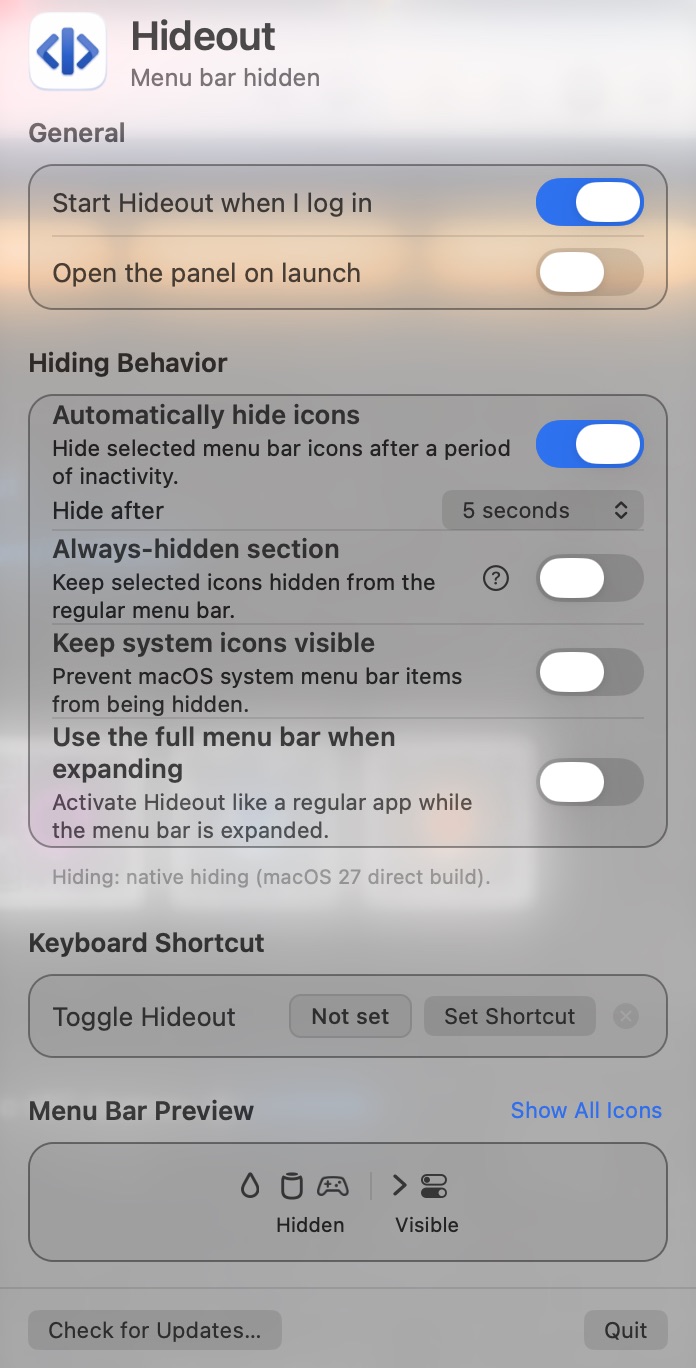
🔄 Bar alternative
Hideout is a community-maintained fork of Hidden Bar with additional fixes and compatibility work.
If you are looking for a lightweight Hideout alternative, a simple macOS menu bar manager, or an open-source way to hide menu bar icons, Hideout is built for exactly that use case.
🛠 Installation
Hideout can be installed through Homebrew or downloaded from the project's GitHub Releases.
Homebrew
brew install --cask https://raw.githubusercontent.com/xvoland/hidden/main/Casks/hideout.rbSecurity
Hideout is an independent, open-source project, and unfortunately, we don’t have the budget for an Apple Developer Program membership yet. This means the app isn’t signed and notarized by Apple.
The first time you open Hideout, macOS may show a security warning. To open the app, you’ll need to follow these steps:
- Download Hideout from the latest release.
- Move the app to your Applications folder.
- If macOS blocks it, open System Settings → Privacy & Security, find the message about Hideout, and click Open Anyway. You may need to try opening the app first.
- Confirm that you want to open it.
We know this isn’t as convenient as installing a notarized app, and we’re sorry for the extra steps. If you find Hideout useful and would like to help us cover the cost of an Apple Developer membership, your support would mean a lot. ❤️ Thank you for supporting independent, open-source software!
xattr -dr com.apple.quarantine /Applications/Hideout.app

🎯 Why Hideout?
Your menu bar should show the things you actually need — not every application running in the background.
Hideout keeps the interface simple: hide the clutter → reveal it when needed → keep your Mac menu bar clean.
☕ Support
- GitHub: https://github.com/xvoland/hideout
- Buy on Gumroad: https://lor4ik.gumroad.com/l/hideout
- Donation: https://paypal.me/xvoland
- Patreon: https://patreon.com/xvoland
Download Hideout. Declutter your Mac.
Small footprint. Simple purpose. Clean menu bar. Tiny app. Tidy Mac ❤️
Download HIDEOUT Support HIDEOUT Github Homepage
License
Hideout is open source and released under the MIT license. © LICENSE.
Author
Copyright © 2026, Vitalii Tereshchuk / xVoLAnD, Upstream project: © Dwarves Foundation